We’re excited to announce a new data citation API endpoint and are seeking your feedback. The new service makes existing data citation relationships in our metadata available, thereby surfacing this part of the research nexus. At the same time, we’ve decided that it’s time to move on from Event Data.
Metadata is communication; it can tell a story about research and paint a picture for others to respond to and learn from, across the world and throughout the forthcoming generations. Metadata can feel technical with words like ‘infrastructure’ and ‘schema’, and sometimes, like tech in general, it comes with hyperbole. But metadata really is part art (storytelling and pictures) and part science (structured models and standards) with both aspects being equally important, and requiring people as well as systems. That necessary combination of human and machine involvement also makes metadata challenging.
Once a year we release all metadata records for content registered with Crossref in a public data file. This year’s version, containing nearly 180 million records, is now available. It includes metadata associated with all Crossref-registered DOIs in JSON-lines format.
Crossref Ambassadors act as local points of contact, meeting editors, librarians, researchers, and institutions to help them navigate Crossref services and understand how strong metadata supports visibility, integrity, and trust in research. They explain how to participate in our rich network of connections between works, people, and institutions, in ways that make sense in their own contexts. And last year, being our 25th anniversary, Ambassadors also massively contributed to our celebrations!
The quickest way to test whether your DOI and its associated metadata have been registered successfully (and your DOI is now active) is to enter your DOI link (DOI displayed as a link, such as https://doi-org.turing.library.northwestern.edu/10.13003/5jchdy) into a browser window, and check if it resolves correctly. DOI 10.13003/5jchdy has been registered so it is resolving to that DOI’s landing page (or, resolution URL). DOIs that have not been registered will resolve to a DOI NOT FOUND error message on doi.org, such as https://doi-org.turing.library.northwestern.edu/10.13003/unregisteredDOI.
If your DOI doesn’t resolve successfully, read on for more information about the process your submission goes through, why there might be a delay, and which messages you’ll receive depending on your submission method.
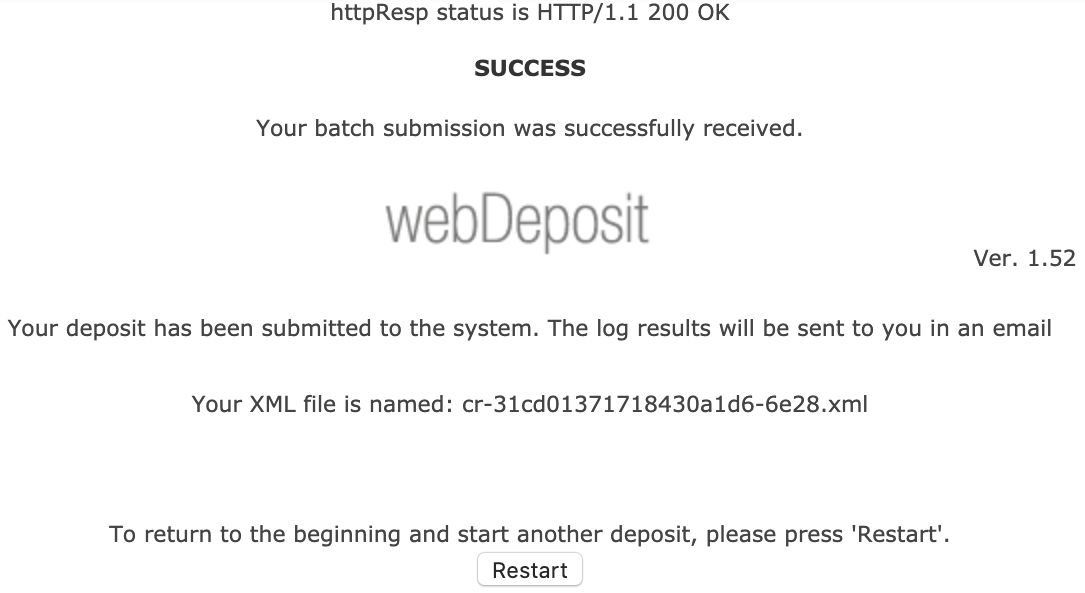
If you register your content using the web deposit form, your submission is sent to a submission queue. You’ll see a “success” message in the web deposit form confirming that your submission has been successfully sent to our submission queue, but this doesn’t mean that your registration is complete.
As your submission is processed in the queue, we send you two messages:
XML record email, subject line: Crossref WebDeposit - XML. This email includes the XML created by the web deposit form. Do keep this information, as it may be useful in the future. Receiving this email is a confirmation that your file has been received for processing, and entered into our submission queue.
submission log email, subject line: Crossref Submission ID. This email is sent once your XML has made it through the queue, includes your submission ID, tells you if your deposit has been successful, and provides the reason for any failure.
If your submission log email tells you that your submission was successful, your DOI is now live and active (or your update to metadata for an existing DOI has worked).
If your submission failed, please address the errors flagged in the confirmation, and resubmit. Learn more about error messages.
If you don’t receive your submission log email immediately, it’s probably because your submission is still in the queue. It can stay in the queue between several minutes and several hours depending on how large your submission file is, and how busy our submission queue is at that time. Learn more about how to view the submission queue.
If you don’t receive your submission log email and you can’t see your submission in the queue, it may be that your access to register content has been suspended due to unpaid invoices. If this is the case, please contact us.
Verify your registration - new Metadata Manager
The new Metadata Manager tool (previously known as the record registration form) registers your record in real time, with no queueing or delay. If your submission has been successful, you’ll see a “success” message, which means your DOI is now live and active or your update to an existing record has worked.
Your “success” message will also contain a submission ID. If you need to, you can log into our admin tool using your account credentials and use this submission to view your deposit.
If your submission hasn’t been successful, you’ll see an error message explaining the problem.
Verify your registration - direct deposit of XML using our admin tool
Submissions using our admin tool are sent to a submission queue. Once your submission has been accepted into the queue we display a SUCCESS - Your batch submission was successfully received message. This means that your deposit has been submitted to our processing queue, but it has not yet been processed.
Registration of your content only occurs after your submission has worked its way through the queue, when you will receive an email with the subject line Crossref Submission ID, which includes your submission ID, tells you if your deposit has been successful, and provides the reason for any failure.
If your deposit has been successful, then your new DOI is live and active (or your update to metadata for an existing DOI has worked).
If your submission failed, please address the errors flagged in the email, and resubmit. Not sure what the error messages mean and what you need to do? Learn more about error messages.
If you don’t receive your submission log email immediately, it’s probably because your submission is still in the queue. It can stay in the queue between several minutes and several hours depending on how large your submission file is, and how busy our submission queue is at that time. Learn more about how to view the submission queue.
If you don’t receive your submission log email and you can’t see your submission in the queue, it may be that your access to register content has been suspended due to unpaid invoices. If this is the case, please contact us.
Verify your registration - XML deposit using HTTPS POST
Most items registered with us are submitted via HTTPS POST. When files are POSTed to our system, you’ll receive a 200 status message to confirm that we’ve received it. Your files are then added to a submission queue to await processing, and once your submission has been processed, you’ll receive a submission log (either by email or through the notification callback service if you have that enabled).
If your submission log shows a success, then your DOI is live and active (or your update to metadata for an existing DOI has worked).
If your submission log shows a failure, please address the errors flagged in the email, and resubmit. Not sure what the error messages mean and what you need to do? Learn more about error messages.
There may be a delay between your submission being received by the queue and completing processing. It can stay in the queue between several minutes and several hours depending on how large your submission file is, and how busy our submission queue is at that time. Learn more about how to view the submission queue.
Verify your registration - Crossref XML plugin for OJS
If you are using the Crossref XML plugin for OJS to send your submission to us directly, check the status of your deposit by clicking the Articles tab at the top of the plugin settings page.
Page maintainer: Isaac Farley Last updated: 2025-December-10